
WebUI
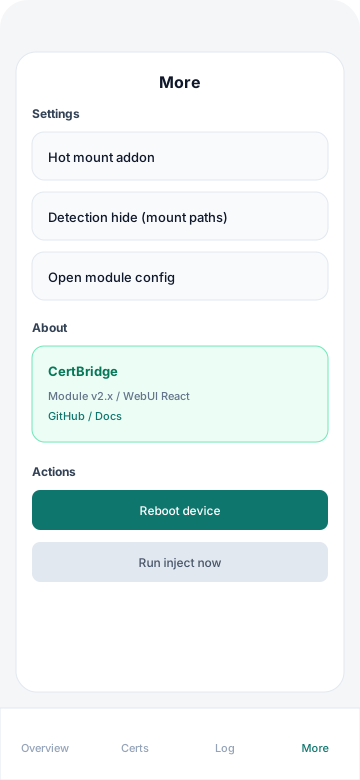
Open WebUI inside a supported module manager such as KernelSU, SukiSU, an APatch-family manager, MMRL, or WebUI-X. The bottom navigation contains Home · Certificates · Logs · More and adds Hide when mount-hide assistance and/or Zygisk filtering is installed.
The unified Trust Signal design supports light, dark, and system themes plus an accent color.
Preview
| Home | Certificates |
|---|---|
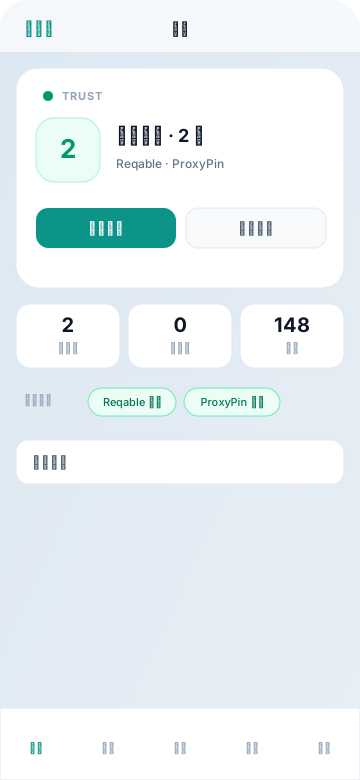 | 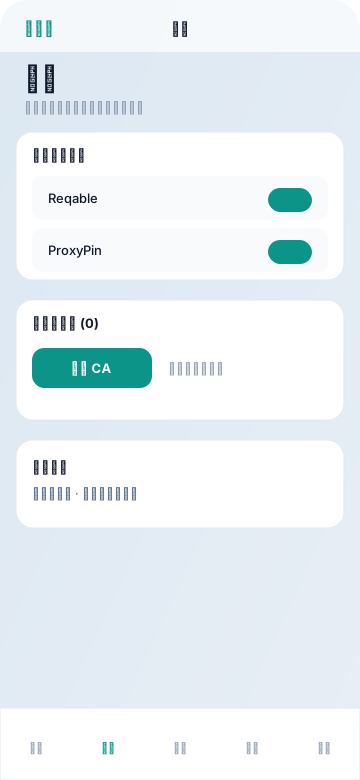 |
| Logs | Hide | More |
|---|---|---|
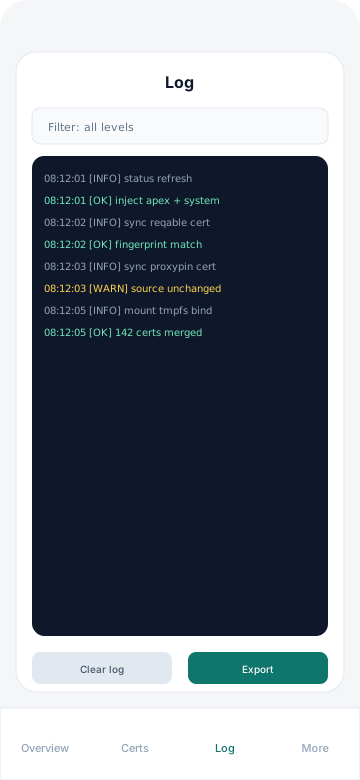 | 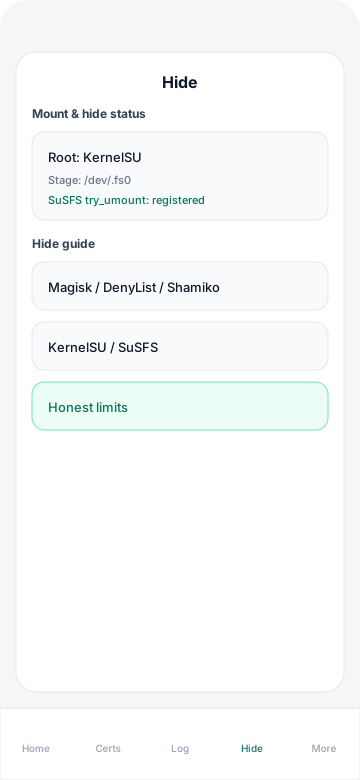 |  |
The matching files under docs/public/screenshots/ can be replaced to update these previews.
Opening WebUI
- Use the default installation profile, or select WebUI during custom installation.
- After reboot, open CertBridge → WebUI in your manager.
- The manager must provide a shell bridge; an ordinary browser cannot host this WebUI.
If the bridge is not detected, use a client that supports module WebUIs.
Home
Home answers one question: “Is trust injection working?”
| Section | Contents |
|---|---|
| Status stage | Overall state, applied-certificate summary, refresh/verify action, and reboot guidance |
| Metrics | Enabled, custom, and baseline certificate counts |
| Built-in chips | Reqable and ProxyPin state |
| Environment details | Collapsible device, Android, root, injection, mount-mode, and version information |
Mount and hide details are on the Hide page.
Refresh and verify
This action:
- Tries to synchronize current CAs from enabled Reqable/ProxyPin apps, skipping unchanged fingerprints.
- Performs a forced live injection check equivalent to
status --liveand updates cached state. - Reloads the custom-certificate list.
After boot, a brief “stabilizing” state may trigger a silent verification. You can also refresh manually.
Certificates
| Section | Contents |
|---|---|
| Built-in sources | Reqable/ProxyPin switches and copyable details such as subject and fingerprint |
| Custom | Upload PEM/DER, import known paths, delete certificates, and view details |
| Hot mount | Temporarily mount/unmount user-store or shared-storage CAs when the component is installed and hot_allow=1 |
Permanent changes normally require a reboot. Hot mounts take effect immediately and disappear after reboot.
Logs
Inspect data/install.log and runtime logs, filter by severity, or search for tags such as inject:, generation:, and hide:. When injection fails, Home and Logs show a readable cause and suggested action.
Hide
This page appears only when a related component is installed. It contains:
- Live mount/hide status and instructions specific to the current root solution
hide_allow,zn_hide_allow, black/white list mode and editors, and immediate re-registration; “filter ≠ module umount” tip- A dismissible capture checklist
- Advanced experiments:
force_bind_capture,late_inject,boot_bind_zygote,boot_multi_apex, andservice_probe
Advanced settings are off by default to minimize traces. Enable them only when certificate injection needs extra compatibility. See Mount hiding and Configuration.
More
| Section | Contents |
|---|---|
| Mount mode | compatible / magic; reboot after changing |
| Temporary layer | tmpfs_style |
| Appearance | Light/dark mode and accent color |
| Updates | Stable/CI channel and update check |
| About | Version, installed-component profile, and donation entry |
Hot-update path
Cross-installer hot updates may briefly use:
/data/adb/certbridge/You can normally ignore this directory; temporary update files are cleaned when the update completes.